Tom Companion
A downloadable tool for Windows and macOS
Shared download count

Successful download starts across the official websites and itch.io, counted since October 4, 2026. Reload this page to refresh the total.
A little room beside your work.
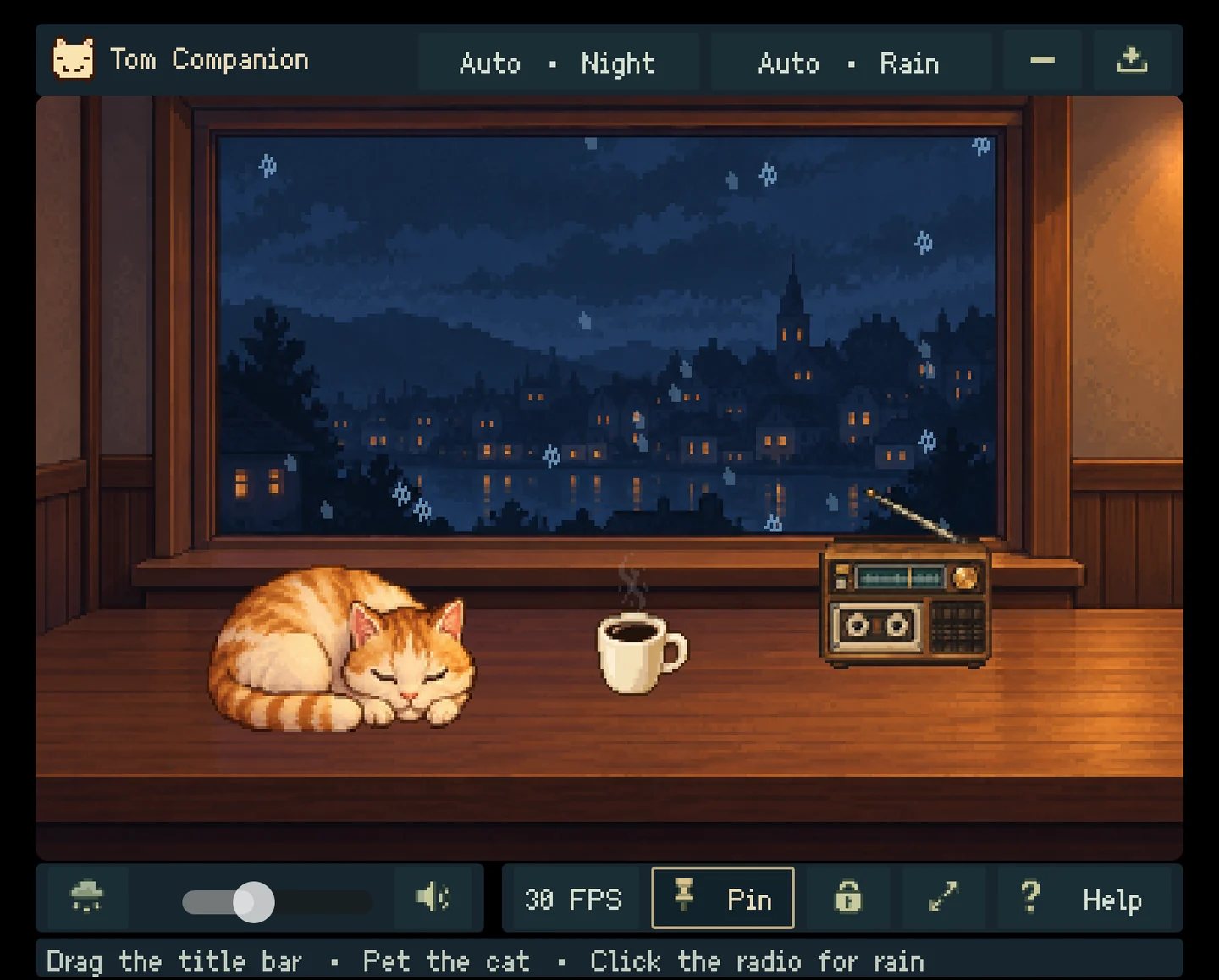
Keep a quiet pixel-art scene in the corner of your desktop: a sleepy cat, a steaming coffee, a vintage radio and rain over a lakeside town. Tom Companion adds a small moment of calm while you work.
Included for free
- A rainy room, a cat you can pet and a cup of coffee.
- Rain ambience with radio playback and volume control.
- Morning, day, evening and night following your local clock.
- Always-on-top, click-through lock and pixel-perfect 1×, 2× or 3× sizing.
- 15 or 30 FPS power-saving options and close-to-tray behavior.
- Optional system media information on Windows.
Full version
US$3 per month unlocks clear skies, snow and cherry blossoms alongside rain, plus automatic seasonal selection and manual time-of-day control.
Purchase or activate from the in-app purchase / activation menu. One key activates one computer. The subscription renews monthly; cancel using the link in your purchase email. After online activation, offline access lasts until three days after the current billing period ends. The itch.io download does not include a paid subscription.
Choose your download
- Windows: Windows 10 or 11, 64-bit.
- macOS: universal app for Intel on macOS 10.13+ and Apple Silicon on macOS 11+.
Current downloads: macOS 0.3.4; Windows 0.3.5. The macOS app starts in English and supports switching to Chinese through the Language menu.
On macOS, the tray lives in the menu bar. Restore from click-through mode using its cat menu; the Windows Ctrl+Alt+P shortcut and system media information are unavailable.
Before installing
The Windows build is unsigned; the macOS build is not Developer ID signed or notarized. Your system may warn or block opening it. Verify your download source before installing.
Support: zhangjiacai18@gmail.com
Official website and updates
Current Mac and Windows installers · macOS manifest and checksum · Windows manifest and checksum
Download the current Windows 0.3.5 full installer
Product website and pricing
Features, pricing and activation · Shared official downloads
Download
Install instructions
Windows
Version 0.3.5: download Tom Companion_0.3.5_x64-setup.exe from the official website, close Tom Companion if it is running, and follow the installer. The downloads on this page use the same full installers and shared counter as the official website.
macOS
Version 0.3.4: open PixelWindow-0.3.4-macos-universal.dmg and drag PixelWindow.app into Applications. The app supports Intel and Apple Silicon.
The macOS app starts in English. Use the Language menu to switch to Chinese. Use the cat icon in the menu bar to restore the window from click-through mode.
The macOS build is not Developer ID signed or Apple notarized and may be blocked on first launch. macOS updates currently require downloading and installing a new DMG.
macOS download manifest and SHA-256 checksum
Official website and updates
Current Mac and Windows installers · macOS manifest and checksum · Windows manifest and checksum
Leave a comment
Log in with itch.io to leave a comment.